Installing Smart Washers with Wi-Fi
Revolutionizing Laundry with Smart Washers
Smart washers with Wi-Fi are changing how we do laundry. These machines use modern technology to make laundry quicker, easier, and more convenient. Imagine starting your washer from your phone, setting schedules that match your day, or getting reminders when something needs maintenance. Leaking water causes and solutions can also be monitored with these smart washers, as they can alert you if there’s any issue. These features save time and reduce the hassle of laundry. This guide will show you how to install, troubleshoot, and get the most out of your smart washer. Let’s dive in!
Understanding Smart Washers with Wi-Fi
What Makes a Washer Smart?
Smart washers are different from regular ones because they come with advanced features to help you manage your laundry better. You can control them with an app, monitor them from anywhere, and get alerts when they need maintenance. For example, you can start a wash cycle while you’re out and get a notification when it’s done. These features make laundry faster and more efficient.
Benefits of Smart Washers with Wi-Fi
Smart washers make life easier. You can control them remotely, start or stop loads, and use voice commands with assistants like Alexa or Google Assistant. They’re also designed to save energy and water, which is great for the environment. Choosing a smart washer means saving time, helping the planet, and simplifying your laundry routine.
Preparing for Installation
Check Compatibility
Before you install your washer, make sure your Wi-Fi network is compatible. Most smart washers work best with 2.4 GHz networks because they have a better range. Check your router settings to ensure they meet the requirements. Also, make sure your laundry area has the right water and power connections.
Gather Tools and Essentials
Get everything you need for the installation: a smartphone, the app for your washer, a stable Wi-Fi connection, and tools like a wrench, level, and pliers. Read the washer’s manual to understand the steps and avoid surprises. Being prepared will make the process smooth and stress-free.
Installation Process: Step-by-Step Guide
Step 1: Unbox and Position the Washer
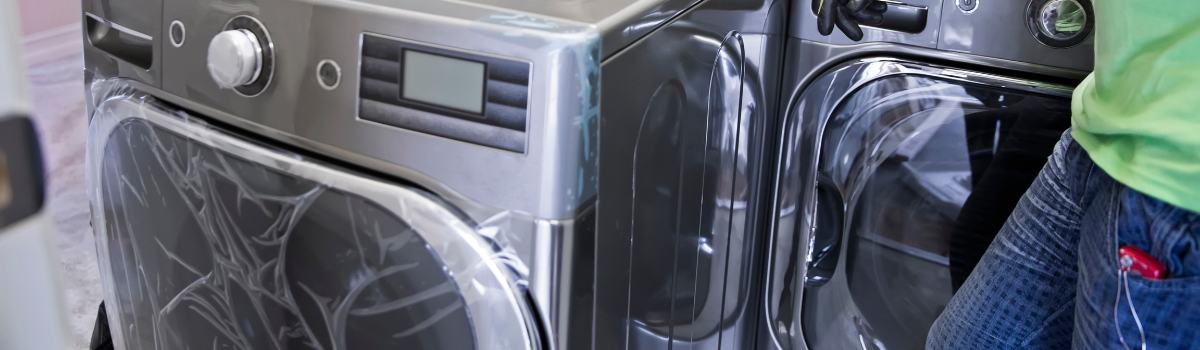
Take the washer out of the box and check for any damage. Place it where it’s close to power outlets, water connections, and a good Wi-Fi signal. Use a level to make sure it’s even—this prevents shaking and noise during use. Proper positioning helps the washer work better and last longer.
Step 2: Connecting to Wi-Fi
Turn on the washer’s Wi-Fi setup mode as explained in the manual. Open the app on your phone and follow the instructions to connect the washer to your home network. Enter your Wi-Fi password when prompted. Once connected, you can control the washer through the app. If there’s a problem, check the troubleshooting section.
Step 3: Configuring Advanced Features
Explore the washer’s features after setting up Wi-Fi. You can use voice commands, track energy use, or customize cycles for different clothes. If you use smart home systems like Alexa or Google Assistant, connect your washer to them. Adjust settings in the app to get reminders and notifications that suit your needs.
Troubleshooting Common Issues
Connectivity Problems
If your washer doesn’t connect to Wi-Fi, check the signal strength in the laundry area. A weak signal can be improved by moving your router closer or using a Wi-Fi extender. Restart your router and the washer if needed.
App Setup Challenges
If the app doesn’t work, update it to the latest version. Make sure your phone’s operating system is also updated. If the app still freezes or doesn’t recognize the washer, restart it or reinstall the app. If the issue persists, check the manual or contact support.
Error Codes
Smart washers show error codes when something goes wrong. Look up the code in the manual or app to find the issue. Common fixes include resetting the washer, cleaning filters, or checking water connections. Call a professional if the problem continues.
Maximizing the Benefits of Your Smart Washer
Explore Smart Features
Smart washers come with features that make laundry easier. Get alerts for maintenance, customize wash cycles for your clothes, and use notifications to know when a cycle is done. These features save time and keep your clothes looking great.
Integrate with Your Smart Home
Connect your washer to your smart home system for even more convenience. Use voice assistants like Alexa or Google Assistant to control your washer with simple commands. Start or stop a cycle, check how much time is left, or get updates—all without touching your phone.
Maintenance Tips for Longevity
Routine Cleaning and Maintenance
Keep your washer in good shape by cleaning it regularly. Wipe down the drum, detergent dispenser, and filter to remove lint and detergent buildup. Use cleaning products every few months for a deep clean.
Keeping Your Washer Connected
Update the washer’s firmware through the app to keep it connected to your Wi-Fi. If you change your router or password, update the washer’s settings so it stays online. A stable Wi-Fi connection ensures all smart features work properly.
Frequently Asked Questions (FAQs)
How secure is a smart washer with Wi-Fi?
Smart washers use encryption to keep your data safe. Use a strong password for your Wi-Fi and enable firewall settings on your router.
Can I install a smart washer myself?
Yes, most people can install a smart washer with the right tools and instructions. For complex setups, professional help is an option.
What happens if my Wi-Fi disconnects mid-cycle?
The washer will keep running and finish the cycle. You won’t be able to control it remotely until it reconnects to Wi-Fi.
Making Laundry Smarter and Easier
Smart washers with Wi-Fi make laundry less of a chore. By following this guide, you can install and use your washer to its full potential. Whether it’s starting a cycle from your phone, using voice commands, or exploring advanced features, these appliances make laundry easier and more efficient. The future of laundry is here, and it’s smarter than ever!
Related services
Need a technician?
We handle appliance repair across Metro Vancouver and the Lower Mainland. Same-day service usually available.