This version explains that the touchscreen/display assembly is a common cause, but the power supply, Control Lock, Demo Mode, door switches, and communication wiring must be checked before ordering a costly panel.
Whirlpool or JennAir Microwave Wall Oven Will Not Start? Display Panel Diagnosis and Repair Cost
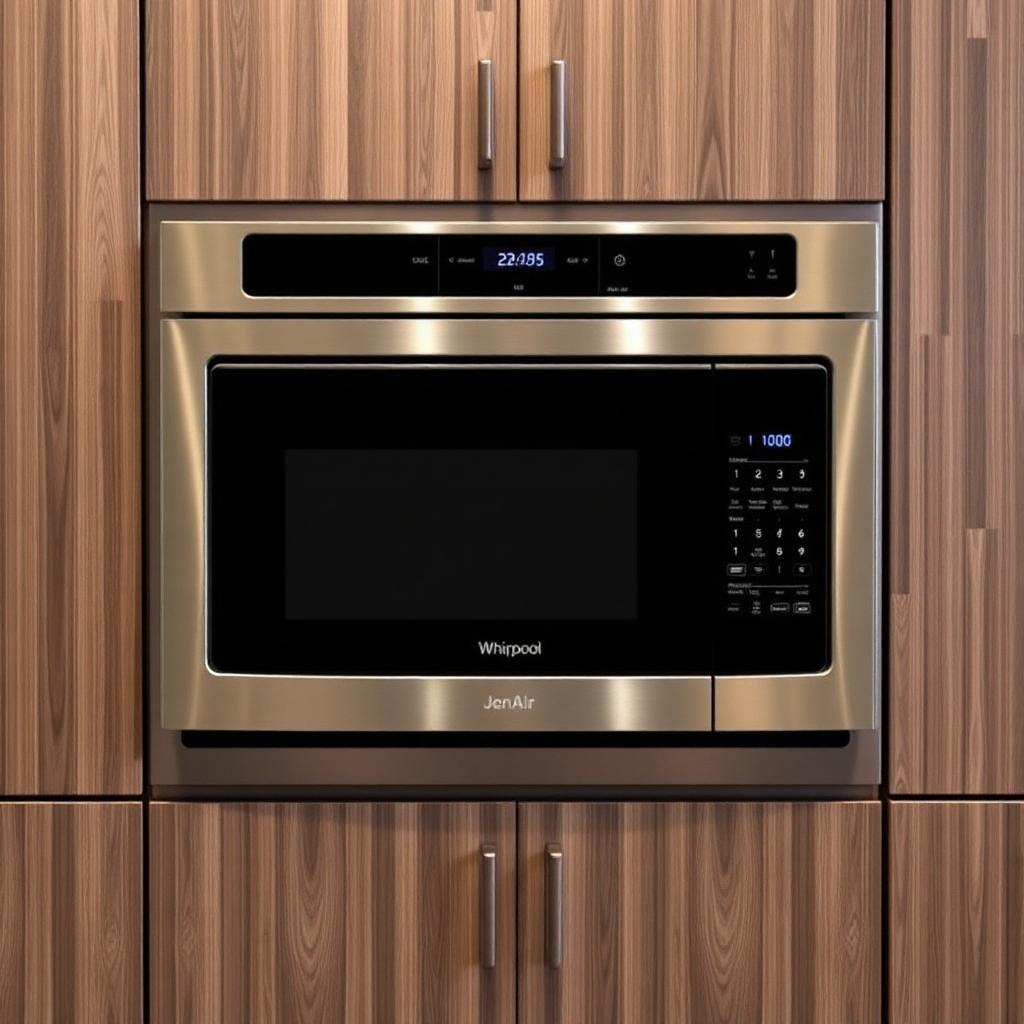
Your Whirlpool or JennAir combination wall oven has a microwave on top and an electric oven underneath.
The display may be frozen, blank, restarting, or responding incorrectly. You select Bake or Microwave, but the appliance will not begin operating.
Does this mean the entire combination oven must be replaced?
Usually, no.
Based on our repair experience, a failed display panel, touchscreen, or user-interface control is a common possibility. The control may develop an electronic or software-related problem that prevents it from accepting commands or communicating correctly with the appliance’s other control boards.
However, this is an expensive component. Before ordering it, a technician should check the electrical supply, Control Lock, Demo Mode, door switches, wiring, and internal communication system.
Step 1: Identify the Problem
Common symptoms include:
- The touchscreen does not respond.
- The display is frozen on one screen.
- The panel turns on but will not start Bake.
- The microwave or lower oven will not accept commands.
- The screen randomly restarts.
- The panel goes blank and later turns back on.
- Buttons respond slowly or select the wrong function.
- An error message appears and returns after resetting.
- The clock works, but the oven will not heat.
- The microwave works, but the lower oven does not—or the opposite.
- The appliance works temporarily after the breaker is reset.
Whirlpool and JennAir combination ovens use the display to control both the microwave and lower oven functions. On touchscreen models, the display provides access to cooking modes, temperatures, timers, settings, and appliance controls. (JennAir < )
If the entire display is dark, the problem may involve the electrical supply, wiring, thermal protection, power board, or display assembly.
If the display is illuminated but does not respond correctly, the user-interface panel or communication system becomes a stronger possibility.
Step 2: Perform the Safe Basic Checks
Check Control Lock
Control Lock disables the control-panel keys to prevent accidental operation.
Look for a lock symbol or a message such as:
- Control Locked
- Button Lock
- Controls Locked
Follow the instructions on the display or in the owner’s manual to unlock it. On many models, the required control must be held for approximately three seconds.
The lock can remain activated after a power interruption, so resetting the breaker may not automatically unlock the panel. (JennAir < )
Check Demo Mode
Demo Mode allows the display and menus to operate without activating the heating elements.
This can make the appliance appear defective even though it is operating as designed. JennAir and Whirlpool both identify Demo Mode as a possible reason an oven accepts commands but does not begin heating. (Product Help | JennAir < )
Open the Tools or Settings menu and look for:
- Demo Mode
- Store Demo Mode
- Try the Product
Disable the feature according to the model’s control guide.
Open and close both doors
If the microwave display shows Door, open and close the microwave door firmly.
The control must receive the correct signal from the door switches before microwave operation can begin. A rack, oversized dish, damaged latch, or faulty switch can prevent the appliance from starting. (Product Help | JennAir < )
Also make sure the lower oven door closes normally and that nothing is interfering with the latch.
Reset the combination oven
Turn the appliance off at its dedicated circuit breaker for at least one minute.
Restore the power and monitor the display.
A power reset may clear a temporary software or communication error. Whirlpool recommends cycling power when a touchscreen freezes or stops responding. (Product Help | Whirlpool < )
If the panel works temporarily and then freezes again, the control system may be failing intermittently.
Do not repeatedly reset the breaker every time the problem returns. A repeating failure requires proper diagnosis.
Check the electrical supply
A microwave–wall oven combination requires the correct dedicated electrical circuit.
The display or lights may still work when the appliance has an incomplete power supply, loose connection, or damaged wiring. Whirlpool and JennAir advise confirming that the wall oven receives the voltage and amperage specified on its model label. (Product Help | JennAir < )
Stop using the appliance if:
- The breaker repeatedly trips.
- You smell burning.
- The display flickers with other electrical symptoms.
- The cabinet or control area becomes unusually hot.
- You hear buzzing or see signs of overheated wiring.
Step 3: Determine the Likely Solution
If the power supply is correct, Control Lock and Demo Mode are off, the doors and switches operate correctly, and the panel remains frozen or unresponsive, the display assembly becomes a strong suspect.
Depending on the model, the part may be described as:
- User-interface control
- Touchscreen assembly
- Console
- Display board
- Appliance manager
- Human-machine interface
The touchscreen may illuminate but fail to send the correct commands. In other cases, the interface may lose communication with the main appliance-control board.
Before replacing the panel, a technician should test:
- Incoming voltage
- Wiring and terminal connections
- Microwave door-switch circuit
- Lower oven door-latch circuit
- Display power supply
- Communication wiring
- Main appliance-control board
- Error-code history
- Touchscreen response
- Cooling fans around the electronics
The exact control and diagnostic procedure must be matched to the complete model number. Whirlpool advises technicians to use the wiring diagram supplied with the specific appliance because control systems vary by model. (Whirlpool < )
Why the complete panel may need replacement
On many modern models, the touchscreen, display electronics, and software interface are supplied as one complete assembly.
Even when the screen itself is not physically cracked, an internal electronic or software failure may require replacement of the full console rather than one small component.
This is why the part can be expensive.
Step 4: Technician’s Recommendation
As an appliance technician, I usually recommend repairing this problem when the display panel is the only major failure.
A Whirlpool or JennAir microwave–wall oven combination is an expensive built-in appliance. Replacement may also require:
- Delivery
- Removal of the existing combination oven
- Two-person handling
- Electrical installation
- Cabinet modifications
- Trim adjustments
- Disposal of the old appliance
The repair is normally a two-technician job because the complete combination oven may need to be pulled from the cabinet to access the control system safely.
These appliances are large, heavy, and connected to high-voltage wiring. The microwave section also contains high-voltage components that can remain dangerous after power is disconnected.
This is not a recommended do-it-yourself repair.
Before approving an expensive panel, ask the technician to confirm:
- That the panel is receiving proper power
- That the control is not locked or in Demo Mode
- That the door switches are working
- That communication wiring is intact
- That the main control is not the actual cause
- That the exact replacement panel is available
Most customers choose the repair when the appliance is otherwise in good condition, especially when it fits custom cabinetry.
Step 5: Repair Price
The final cost depends on the exact model, panel design, part availability, and whether the complete appliance must be removed from the cabinet.
Typical TrustedFix pricing may include:
- Display panel or user-interface assembly: approximately $1,200–$1,500
- Two-technician diagnosis and labour: approximately $400–$500
- Estimated repair total: approximately $1,600–$2,000
These are general Canadian estimates before taxes, travel charges, or additional parts.
The price may be higher if the appliance also requires:
- Main appliance-control board
- Microwave door switches
- Wiring repair
- Cooling fan
- Power-supply board
- Door-latch assembly
- Cabinet or installation adjustments
Although the repair is expensive, replacing a comparable built-in microwave and wall-oven combination may cost significantly more once the appliance, installation, electrical work, and cabinet fit are included.
Book a Whirlpool or JennAir Wall-Oven Diagnosis
If your Whirlpool or JennAir combination wall oven will not start, first check Control Lock, Demo Mode, both doors, and the circuit breaker.
If the touchscreen remains frozen, blank, or unresponsive after a proper reset, the display panel or electronic control system may require professional testing.
TrustedFix Appliance Repair can test the display assembly, door switches, wiring, main controls, electrical supply, and communication system before recommending an expensive part.
An accurate diagnosis is especially important on these models because replacing the wrong control panel can be costly. When the display assembly is confirmed as the failure, repairing the existing built-in appliance is often more practical than replacing the entire microwave–wall oven combination.
Related service
Need a technician?
We handle appliance repair across Metro Vancouver and the Lower Mainland. Same-day service usually available.